
Research Rabbit vs Semantic Scholar: Which Wins?
Overview
Research Rabbit and Semantic Scholar are two popular tools for researchers, but they serve different purposes. Research Rabbit is a literature mapping and discovery tool that helps you visualize connections between papers, authors, and topics. Semantic Scholar is an AI-powered academic search engine that provides smart filtering, citation context, and paper summaries. This article compares them across key dimensions to help you decide which fits your workflow.
Key Features Comparison
Research Rabbit excels at building interactive graphs of related papers, allowing you to explore citations and co-authorships visually. It also offers alerts for new papers and collections for organizing research. Semantic Scholar focuses on search and discovery with features like TLDR summaries, citation intent classification, and influence metrics. It covers a broader range of disciplines and includes a large open corpus.
Pros & Cons
Research Rabbit
- Pros: Excellent for visualizing paper connections and discovering related work.
- Pros: Free to use with no paywalls for core features.
- Pros: Integrates with Zotero for easy reference management.
- Cons: Limited advanced search filters compared to dedicated databases.
- Cons: Smaller corpus than some competitors, focusing mainly on life sciences and computer science.
- Cons: No built-in PDF reader or annotation tools.
Semantic Scholar
- Pros: AI-powered TLDR summaries save time when skimming papers.
- Pros: Broad coverage across all academic disciplines.
- Pros: Citation context and influence metrics help assess impact.
- Cons: No visual mapping of related papers like Research Rabbit.
- Cons: Some features require an account, and API access is limited.
- Cons: Less focus on collaboration and collection sharing.
Pricing Comparison
Both tools are free to use. Research Rabbit is completely free with no premium tiers. Semantic Scholar is also free, though it offers an API with rate limits for developers. Neither tool charges for individual use, making them accessible to all researchers.
Best Use Cases
Research Rabbit is ideal for early-stage literature review, exploring connections between papers, and staying updated with new research in your field. Semantic Scholar is better for quick searches, finding TLDR summaries, and assessing citation impact across disciplines. Use Research Rabbit for visual exploration and Semantic Scholar for efficient search and discovery.
Verdict
Research Rabbit and Semantic Scholar complement each other rather than compete directly. If you need to map out a research field visually, Research Rabbit is the winner. If you need fast, AI-enhanced search and summaries, Semantic Scholar takes the lead. Many researchers use both together for a comprehensive workflow.
FAQ
Is Research Rabbit better than Semantic Scholar?
They serve different purposes. Research Rabbit is better for visual literature mapping, while Semantic Scholar is better for AI-powered search and summaries.
Are both tools free?
Yes, both Research Rabbit and Semantic Scholar are free to use for individual researchers.
Can I use Research Rabbit and Semantic Scholar together?
Yes, many researchers use both: Semantic Scholar for initial search and Research Rabbit for exploring connections.
Which tool has a larger paper database?
Semantic Scholar has a broader corpus covering all disciplines, while Research Rabbit focuses on specific fields like life sciences and computer science.
Visual Comparison
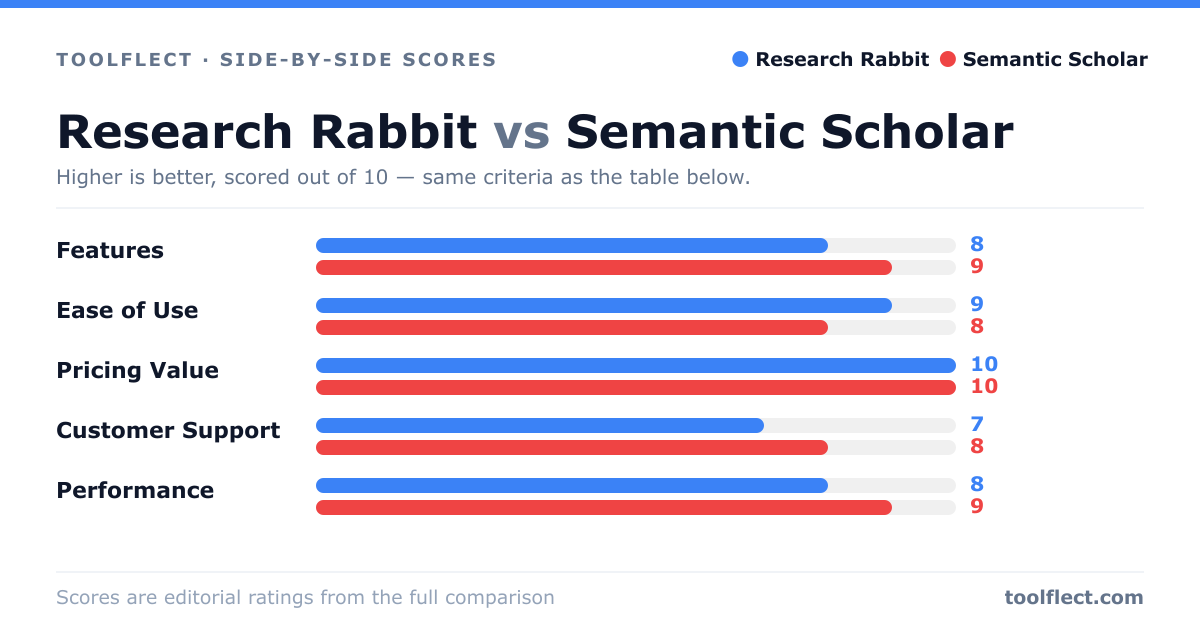
| Criterion | Research Rabbit | Semantic Scholar |
|---|---|---|
| Features | 8/10 | 9/10 |
| Ease of Use | 9/10 | 8/10 |
| Pricing Value | 10/10 | 10/10 |
| Customer Support | 7/10 | 8/10 |
| Performance | 8/10 | 9/10 |